🔌 What is Raspberry Pi Connect?
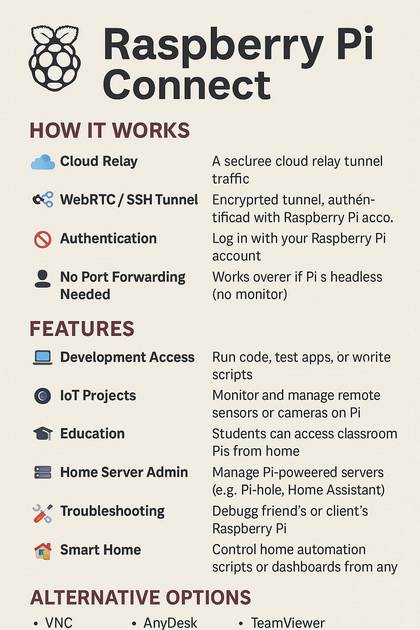
Raspberry Pi Connect is a feature that allows remote access to the desktop environment of your Raspberry Pi through a web browser — securely and without the need for complex setup like port forwarding or third-party tools.
⚙️ How It Works
- Cloud Relay: Raspberry Pi maintains a secure relay server to route traffic between your Pi and the browser.
- WebRTC / SSH Tunnels: It may use secure protocols under the hood for encrypted and low-latency communication.
- No Router Configuration Needed: No need for static IP or port forwarding.
- Authentication: You use your Raspberry Pi account for secure sign-in.

✅ Features Overview
| Feature | Description |
|---|---|
| 🖥️ Remote Desktop | Full GUI access via browser |
| 🔐 Encrypted Access | All connections are secure |
| 🌍 Internet Ready | Works from anywhere |
| 🧰 Multi-platform | Access from PC, Mac, Linux, mobile browsers |
| 🚫 No Extra Setup | Skip static IPs, VPNs, or DDNS setups |
💼 Use Cases
- 🧪 Remote development & coding
- 📷 IoT device monitoring
- 🎓 Education & labs
- 🛠️ Troubleshooting and remote support
- 🏡 Smart home control
🛠️ How to Set Up Raspberry Pi Connect
Update Raspberry Pi OS:
sudo apt update && sudo apt upgradeEnable Connect Interface:
- Go to
Raspberry Pi Configuration > Interfacesand enable Connect - Or use terminal:
sudo raspi-config
- Go to
Start Connect and Sign In:
raspberrypi-connectAccess Your Pi Remotely:
- Visit https://connect.raspberrypi.com in your browser.
- Log in with your Raspberry Pi account and click on your device.
🔄 Alternative Tools for Remote Access
| Tool | Type | Notes |
|---|---|---|
| VNC Connect | GUI Remote Access | Requires port forwarding or RealVNC account |
| AnyDesk | GUI Remote Access | Cross-platform, proprietary |
| TeamViewer | GUI Remote Access | Free for personal use |
| NoMachine | GUI Remote Access | High performance, free for personal use |
| Tailscale + SSH | CLI & File Access | Private VPN + SSH, great for headless access |
| ngrok + VNC/SSH | Tunnel access | Easy tunneling, free tier available |
📌 Final Thoughts
Raspberry Pi Connect offers a seamless, secure way to control your Raspberry Pi remotely — no port forwarding, no IP tracking. Perfect for students, developers, and hobbyists alike.
🔗 engineerhow.com Recommendation
For more Raspberry Pi, server, and remote access guides, visit EngineerHow.com. Subscribe to our newsletter or YouTube channel for updates.
© 2025-05-10 EngineerHow.com | All rights reserved.