
🧭 Introduction
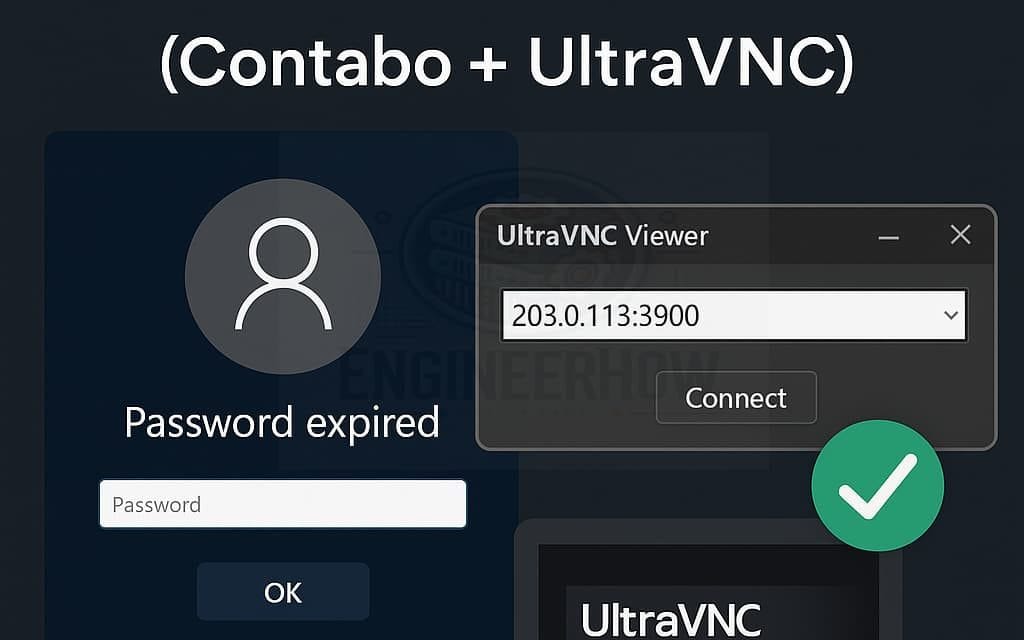
If you’re managing a Windows VPS—especially from a provider like Contabo—you might eventually face a frustrating issue: RDP login failure due to a password expiry.
This recently happened to me after I created a new admin account for security purposes and shared RDP credentials with a third-party software company. Unfortunately, I overlooked the “Password Never Expires” option, which resulted in a lockout when the password expired.
Thankfully, I was able to recover access using Contabo’s built-in VNC Console and the UltraVNC viewer. Here’s a step-by-step walkthrough so you can do the same—no panic required.
🔧 Step-by-Step: Recover RDP Access After Password Expired
✅ 1. Log into the Contabo Panel
Go to Contabo.com → Your Services → Select your VPS → Click Manage.
✅ 2. Enable the VNC Console
In the VPS dashboard, locate and activate the “Enable VNC Console” option.
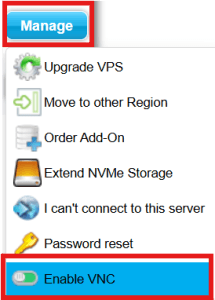
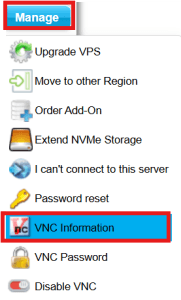
You’ll receive temporary VNC credentials including:
IP Address
Port
Password
✅ 3. Download and Install UltraVNC
Visit the UltraVNC download page and install the UltraVNC Viewer on your local PC.
✅ 4. Connect via UltraVNC
Open UltraVNC and enter the IP:Port from the Contabo console.
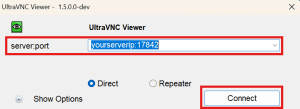
Use the provided password to log in.

You should now see the Windows VPS login screen.
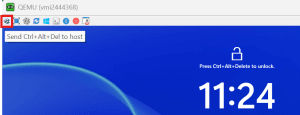
✅ 5. Reset the Expired Password
You’ll be prompted that the password has expired.
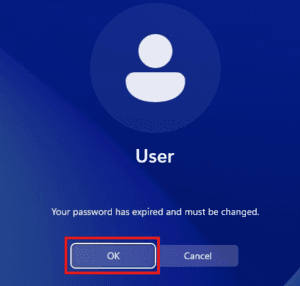
Enter your old password, then set a new password.
Once changed, your RDP access will be restored.
✅ 6. Reconnect via RDP
Open Remote Desktop Connection (RDP).
Enter your VPS IP and custom RDP port (e.g., yourserverip:426324).
Log in using the new password.
You’re back in!
🛡️ Pro Tips to Avoid This in the Future
✅ Always enable “Password Never Expires” for shared admin accounts.
✅ Temporarily keep VNC access enabled when setting up new users or services.
✅ Document your RDP port, VNC access info, and alternative login methods.
✅ Set calendar reminders for password renewal, especially on production servers.
🧠 Conclusion
When managing remote Windows servers—especially unmanaged VPS like Contabo—having a fallback login method like VNC is essential.
This simple trick saved me from downtime and stress, and it can save you too.
If you’ve ever been locked out of your VPS, I hope this guide helps you recover access quickly and confidently.
💬 Have questions or your own recovery tips? Drop a comment below or share this post with someone who might need it!


