Overview
Adobe Photoshop is powerful, but in 2026, the subscription fatigue is real. For Engineers, HSE instructors, and IT professionals, loading a heavy 4GB application just to resize an image, edit a safety poster, or tweak a logo is overkill.
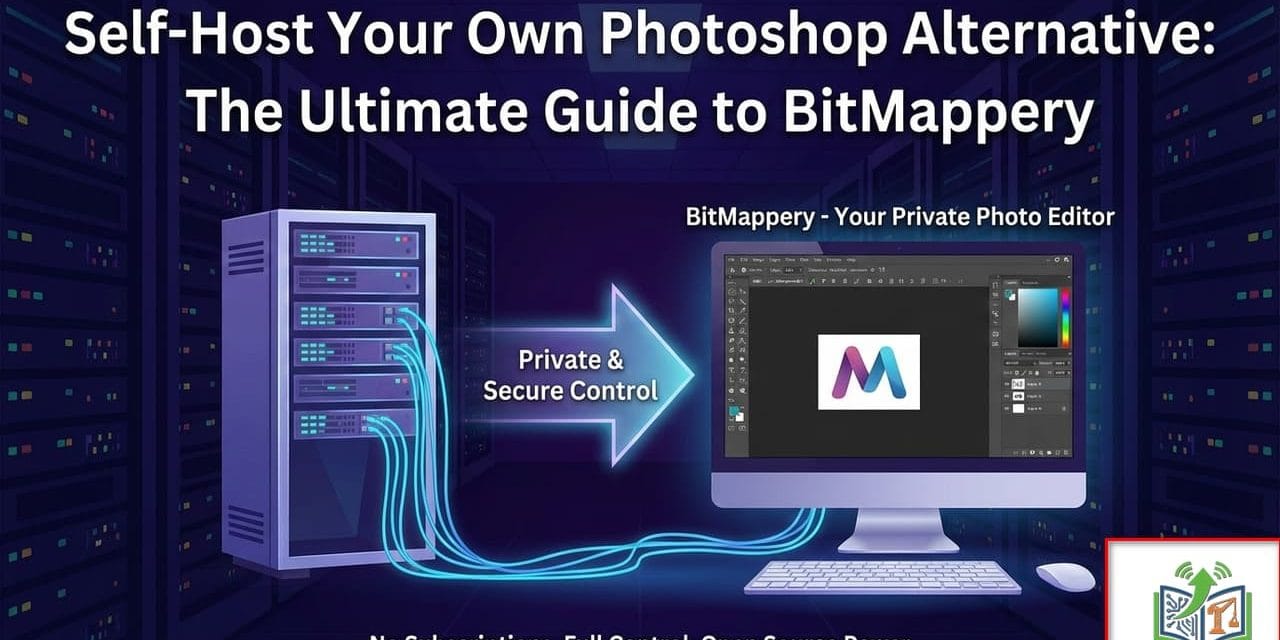
While tools like Photopea are excellent, they rely on external servers and often come with ads. Enter BitMappery: a lightweight, open-source, web-based image editor that you can self-host on your own server.
In this guide, we explore why BitMappery is becoming a staple in the Engineer’s toolkit and provide a step-by-step guide to hosting it on your Docker environment (perfect for your Topton NAS or Hetzner VDS).
What is BitMappery?
BitMappery is a free, open-source image editor built with Vue.js that runs entirely in your browser. Unlike traditional desktop software, it lives on your server.
Why is this a game-changer?
Privacy & Ownership: Your files never leave your network. This is critical for sensitive project drawings or internal company documents.
Zero Installation: Access it from any device—your high-end PC, your Chromebook, or even a tablet on a construction site.
Non-Destructive Editing: It uses a layer-based system similar to Photoshop. You can add filters, adjust colors, and crop images without permanently altering the original file.
Features at a Glance
Layers & Masks: Full support for stacking elements, just like professional software.
Vector Tools: Create shapes, paths, and text overlays easily.
Filters & Effects: Real-time adjustments for brightness, contrast, hue, and blurs.
Lightweight: The Docker container consumes minimal RAM (often <200MB), making it ideal for budget VPS hosting.
BitMappery vs. The Rest
Feature | BitMappery (Self-Hosted) | Photopea | GIMP | Photoshop |
|---|---|---|---|---|
Cost | Free (Open Source) | Free (Ad-supported) | Free | $$$ Subscription |
Privacy | High (Local Network) | Medium (Cloud) | High (Local App) | Low (Cloud Sync) |
Platform | Browser / Server | Browser | Desktop App | Desktop App |
Performance | Extremely Fast | Fast | Moderate | Heavy |
How to Install BitMappery (The Engineer’s Way)
While you can run BitMappery from the public website, the real power lies in self-hosting. We recommend using Docker Compose for a persistent and manageable installation on your Proxmox/Portainer setup.
Prerequisites
A server with Docker and Docker Compose installed (e.g., Ubuntu VM on Proxmox).
Basic knowledge of the terminal.
Method 1: The Quick Docker Run
If you just want to test it out quickly on your Topton NAS:
docker run -d -p 8080:8080 --name bitmappery ghcr.io/bitmappery/bitmappery:latest
Access it at: http://YOUR-SERVER-IP:8080
Method 2: Docker Compose (Recommended)
For a production-ready setup that auto-restarts, create a docker-compose.yml file:
version: '3.8'

services:
  bitmappery:
    image: ghcr.io/bitmappery/bitmappery:latest
    container_name: bitmappery
    restart: unless-stopped
    ports:
      - "8080:8080"
    environment:
      - NODE_ENV=production
    networks:
      - web_net

networks:
  web_net:
    external: true
Steps:
Save the code above into a file named
docker-compose.yml.Run
docker-compose up -d.(Optional) Point your Nginx Proxy Manager to port
8080to give it a custom domain likeeditor.yourdomain.comwith SSL.
Hands-On: Editing an HSE Safety Poster
To prove its worth, let’s look at a real-world scenario for an HSE Instructor. You need to update a “Site Safety Rules” poster with a new logo and change the text date.
Import: Open your self-hosted BitMappery instance and drag in the existing poster (JPG/PNG).
Layer Up: Drag your new company logo file onto the canvas. It automatically creates a new layer.
Blend: Use the “Multiply” blend mode to remove the white background from the logo seamlessly.
Text: Select the Type tool, choose a font (BitMappery includes Google Fonts support), and overlay the current year “2026”.
Export: Click Save Project to export as a
.bitfile (to edit later) or Export Image to get a high-quality PNG for printing.
All of this happens inside your browser, with zero lag, and without uploading your company assets to a third-party cloud.
Conclusion
BitMappery isn’t going to replace Photoshop for high-end magazine retouching or complex 3D composites. However, for 90% of the daily tasks an Engineer or IT professional faces—resizing, annotating, creating thumbnails, or editing diagrams—it is efficient, free, and secure.
By self-hosting it, you ensure that you always have access to your tools, regardless of internet connectivity or subscription status.
Engineer’s Verdict: Essential for the Home Lab.
We recommend bookmarking this guide from EngineerHow.com for future reference. Our goal is to make complex technical topics simple and accessible for everyone.
🔗 Useful Links 📺 EngineerHow YouTube Channel (www.youtube.com/@EngineerHow)
📢 About EngineerHow.com EngineerHow.com is dedicated to providing expert IT and engineering tutorials, helping professionals and enthusiasts set up servers, networks, and self-hosted solutions. Our guides focus on step-by-step instructions to make complex topics easy to understand.
🚀 Explore More IT Guides: EngineerHow.com
💬 Join the Discussion! Have questions or insights? Drop a comment below and let’s discuss!
Copyright © 2025 EngineerHow.com. All Rights Reserved.